Display triggers: time delay, scroll depth, exit intent
When the widget appears matters as much as what it says. How each trigger works and which one fits which kind of page.
An assistant that pounces the instant a page loads reads as a popup; one that appears as the visitor starts genuinely reading reads as help. Display triggers control that timing.
The four modes
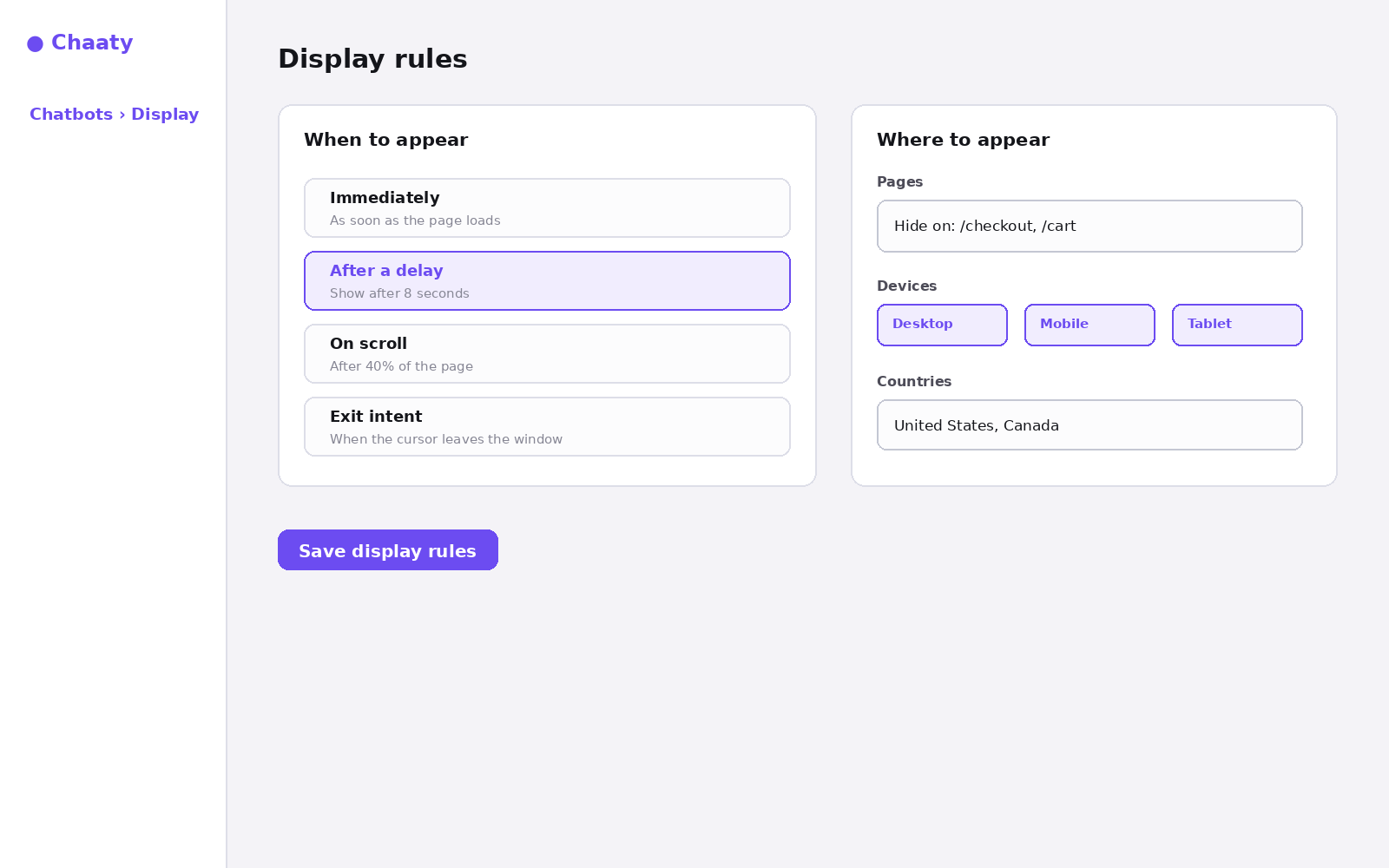
- Immediately — the widget is present from page load. Right for support-heavy sites where visitors arrive looking for the chat.
- After a delay — appears after N seconds. The safe default: 5–10 seconds filters out bounces while catching real readers.
- On scroll — appears after a percentage of the page. Best for long content pages; someone 40% into your pricing page is qualified attention.
- Exit intent — appears when the cursor heads for the tab bar. The last-chance play; pair it with a greeting card that offers something concrete.
Choosing per situation
Service business homepage: short delay. Long guides or blog posts: scroll. Pricing page: scroll at a low threshold — that's your highest-intent audience. High-bounce landing pages from ads: exit intent can recover visitors who'd otherwise leave silently.
The trigger controls when; page targeting controls where. Together they're the difference between a widget that interrupts and one that shows up right on cue.
Try this on your own assistant
Chaaty is free to start — your assistant is built from your website in about a minute.