How to train your chatbot on your business
The scan gets you 80% there. Q&A pairs, documents and text blocks cover the rest — everything your website doesn't say out loud.
Your assistant starts with what the website scan found. Training is the process of filling in everything else — the answers customers need that your site never states.
The training screen
In your dashboard, open your chatbot's Training section. Four source types feed the same brain:
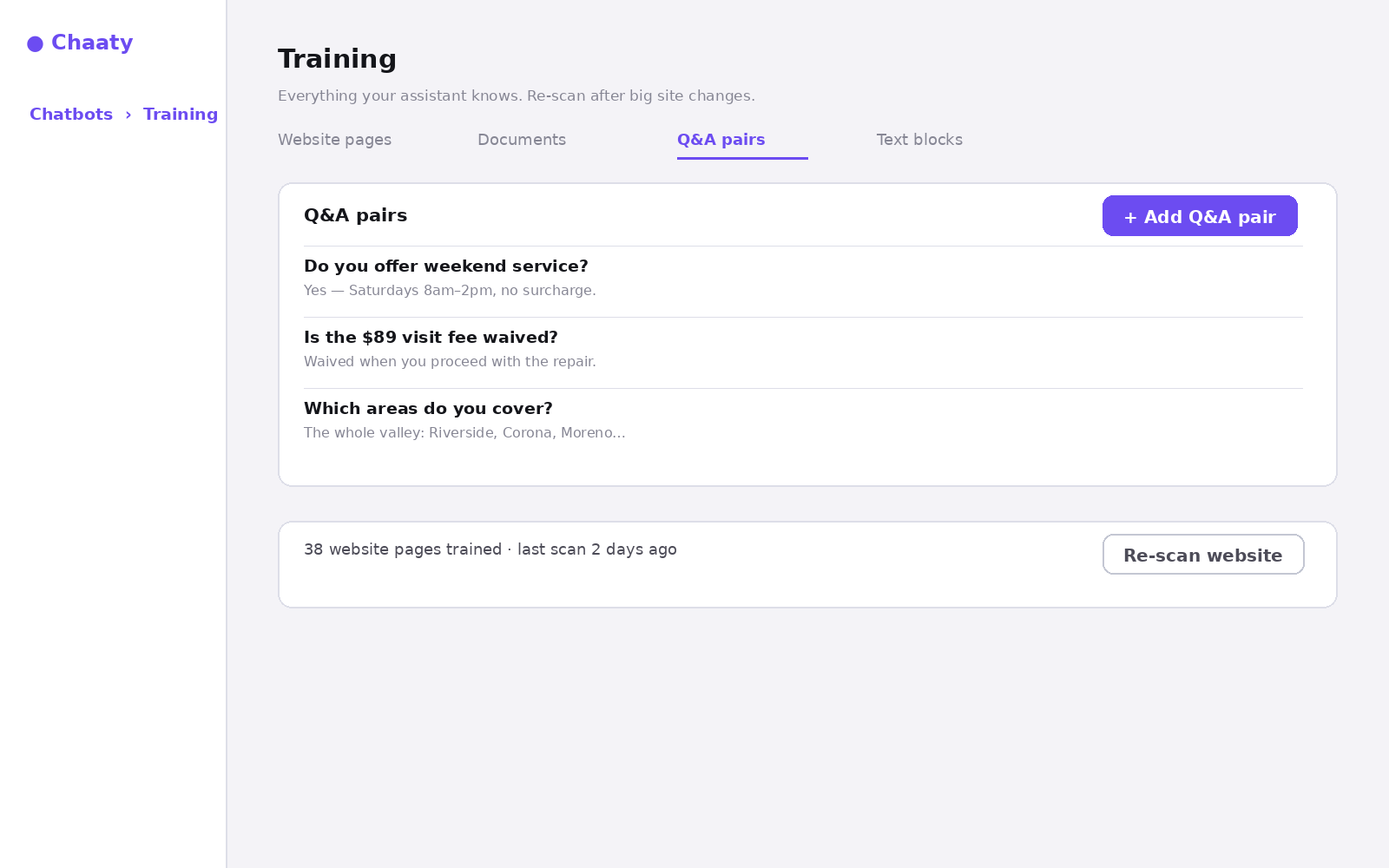
- Website pages — what the scan found; re-scan any time.
- Documents — upload PDFs and files: price lists, service manuals, policies.
- Q&A pairs — exact answers to exact questions. The highest-priority source.
- Text blocks — free-form notes: "We don't service mobile homes", "Mention the $20 first-visit discount".
Q&A pairs: your precision tool
A Q&A pair wins over anything scanned, which makes it the fix for any answer you want said your way:
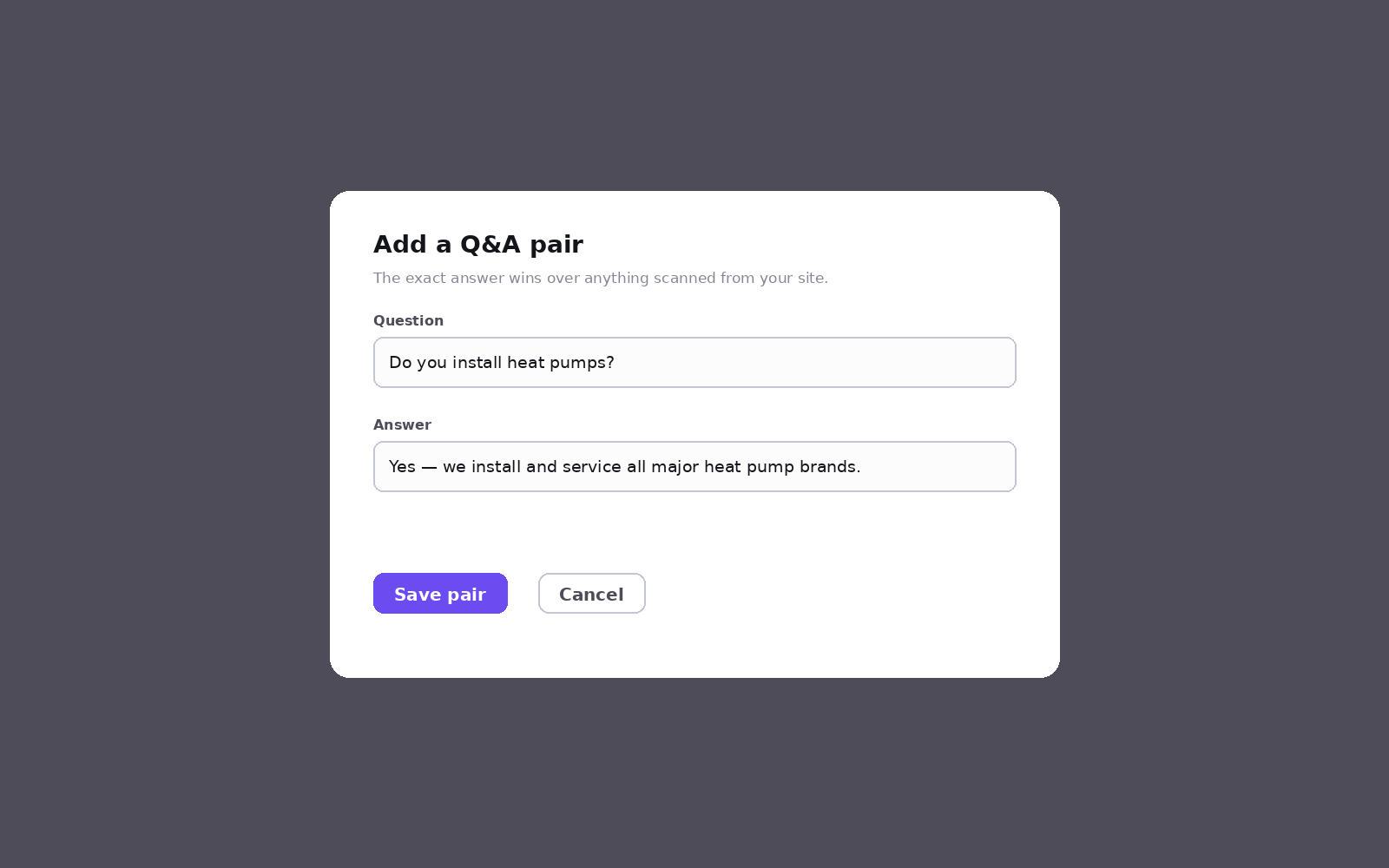
Write the question the way a customer would ask it, and the answer the way your best employee would give it — including the upsell if there is one.
Keep it honest
Don't teach the assistant claims you can't back up. It will repeat what you feed it with total confidence, so a wrong price or an over-promise gets said to every visitor until you fix it. When an answer does go wrong, here's how to trace and fix it.
Try this on your own assistant
Chaaty is free to start — your assistant is built from your website in about a minute.