How to let customers book appointments through chat
Define your services and hours once, and the assistant books real appointments in conversation — including nights and weekends.
Half of service-business bookings are requested outside office hours. An assistant that books through chat means the 9pm "can someone come Saturday?" turns into a confirmed slot instead of a competitor's phone call the next morning.
Set up your services and hours
In your dashboard's Booking section, define what can be booked and when you work:
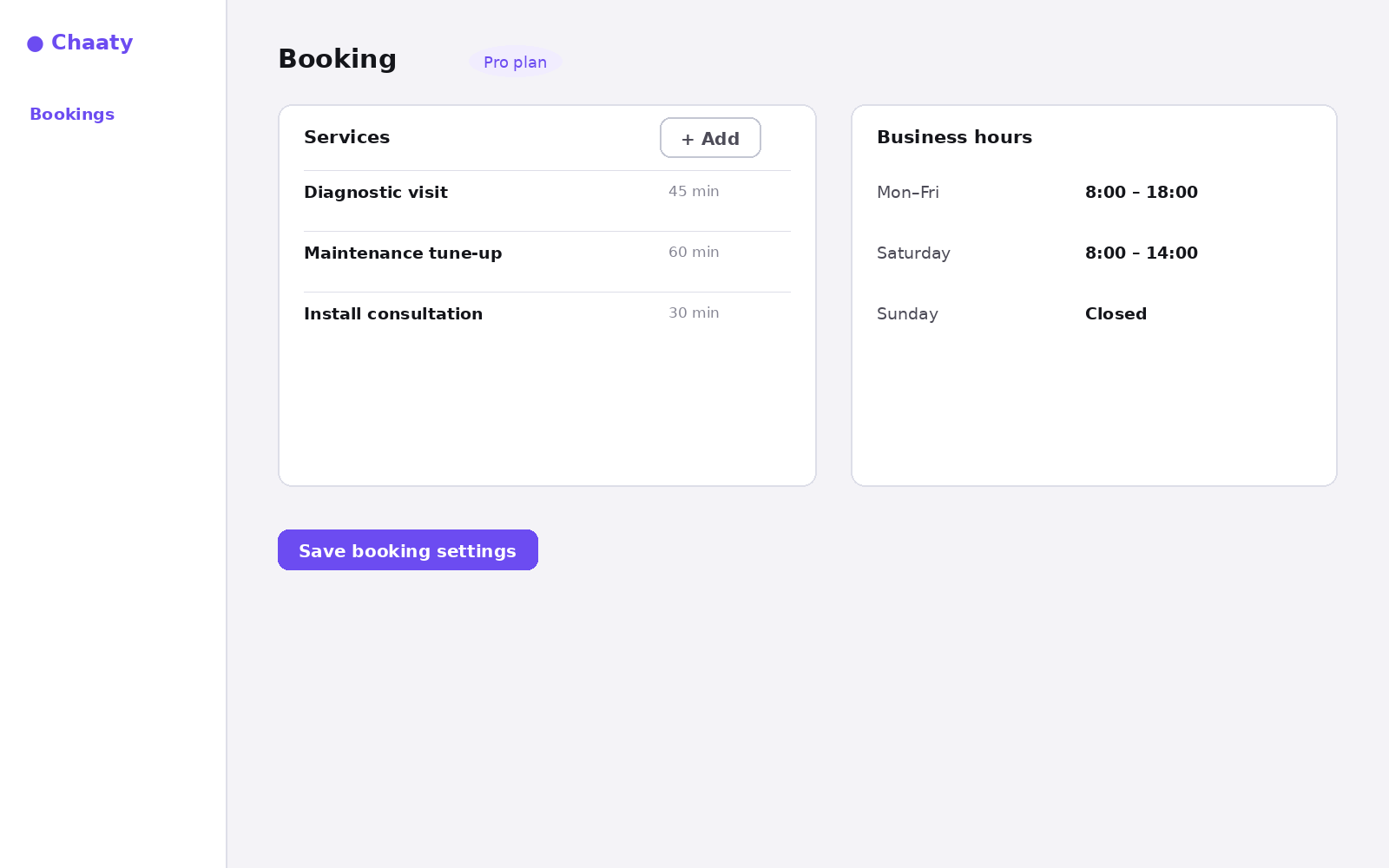
- Services — name and duration for each bookable thing: "Diagnostic visit, 45 min", "Maintenance tune-up, 60 min".
- Business hours — per-day windows; the assistant only offers slots inside them.
- Overrides — holidays and one-off closures, so December 25th never gets booked.
Short on time? Create your free assistant and it does the setup below for you — no card needed.
What the visitor experiences
The assistant recognises booking intent in plain language, offers real slots, and confirms in the conversation:
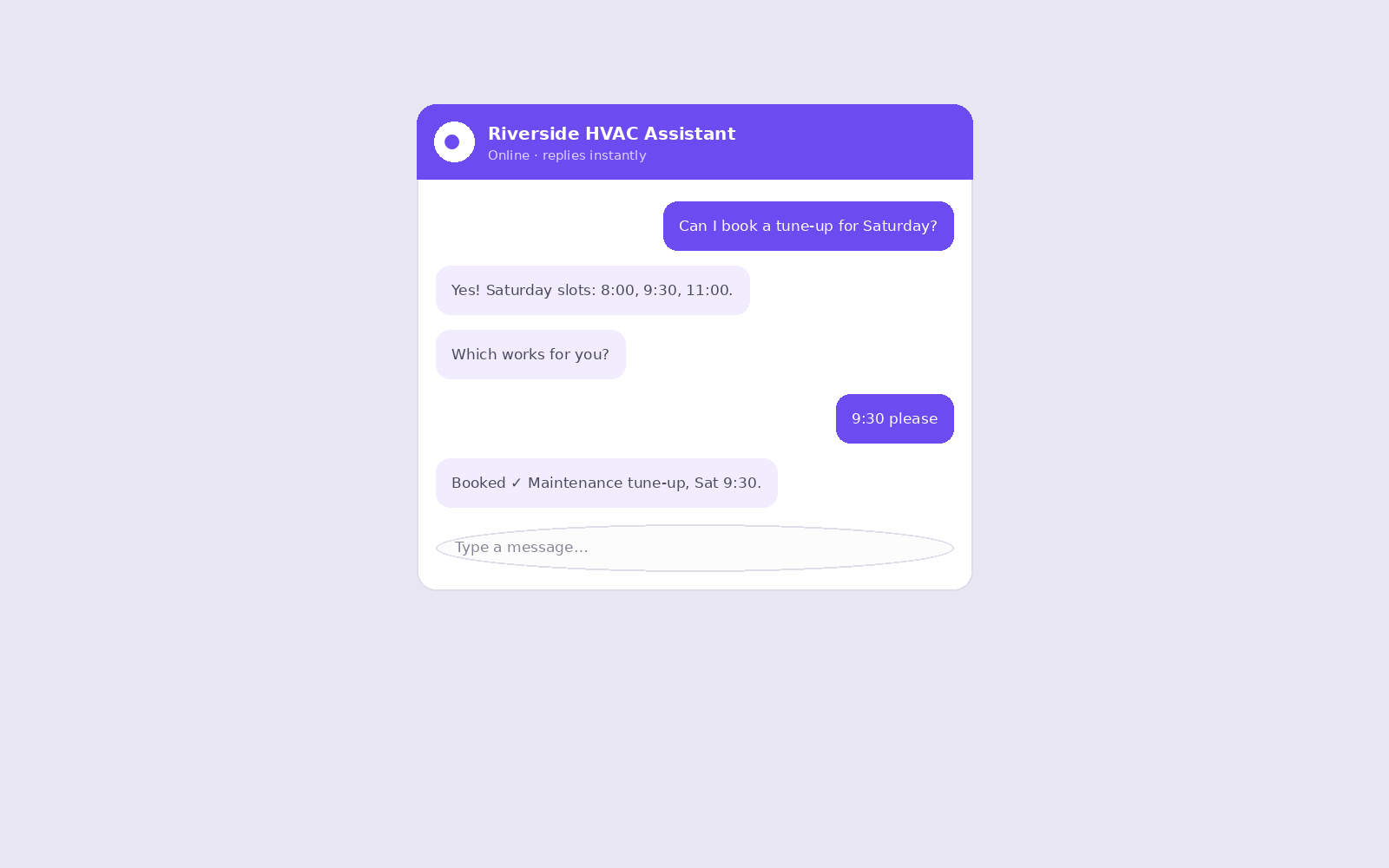
Bookings land in your dashboard's Bookings view, and automatic reminders cut the no-show rate.
Unlock this feature on your assistant
Available on Pro and up. Upgrade in a minute — cancel any time.